Disable the Extension
How to temporarily turn the langKey extension off or back on.
How to Turn It Off / On
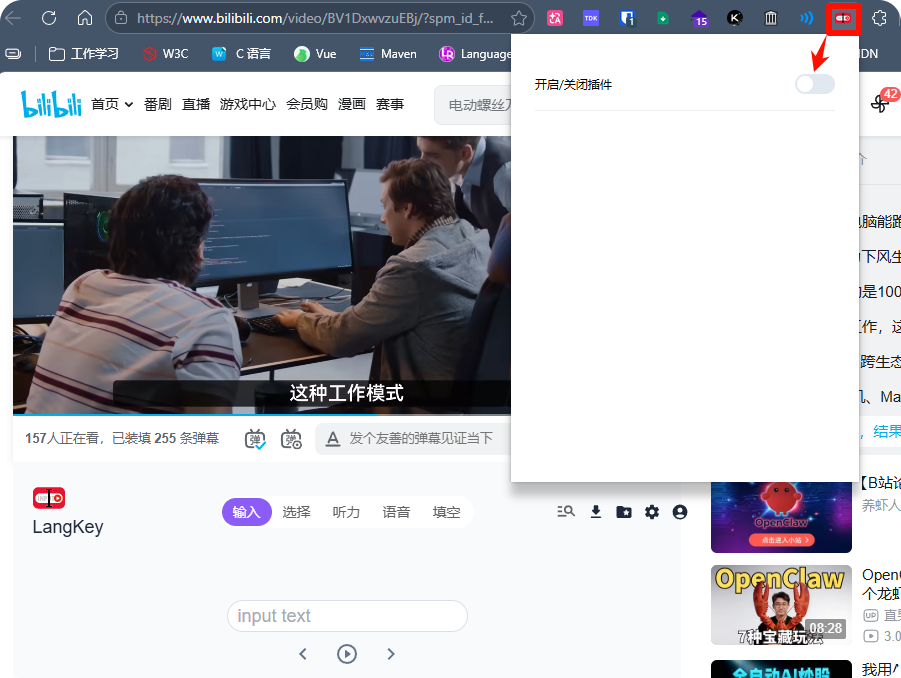
Click the langKey icon in your browser toolbar, then click the disable/enable button in the pop-up.
If you haven't pinned the icon to the toolbar, click the extensions icon in the top-right corner of the browser, find langKey, and click the disable/enable button.
Word Collection and Export
Save frequently used words and export them to an Excel file for further study.
Translation Settings
How to set the translation language in LangKey — switch target languages for machine translation, AI translation, selection mode, and AI cloze mode on YouTube, Bilibili, TED, and Netflix.