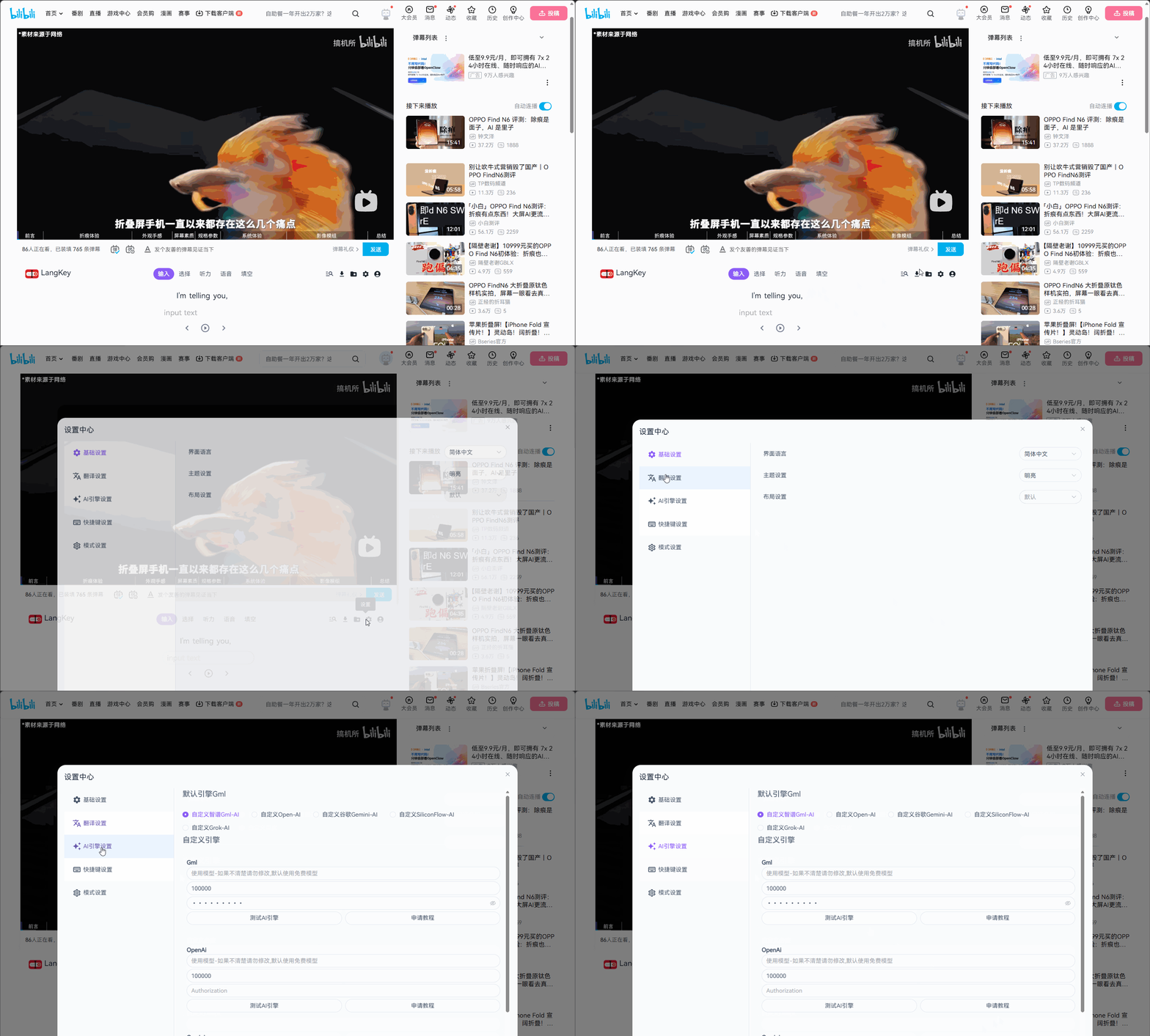
Basic Settings
Translation Engine Configuration
No configuration is required by default: the extension automatically uses your browser's built-in free translation engine.
If your network environment is restricted, your browser has no built-in translation, or you want higher-quality results, you can manually configure one of the following supported translation engines:
| Translation engine | Free quota |
|---|---|
| Google Translate | $200 trial credit for new users (valid for 90 days) |
| Microsoft (Bing) Translator | 1 million characters per month |
| DeepL Translator (higher accuracy) | 500,000 characters per month |
| Baidu Translate | Personal Premium: 1 million characters/month; Standard: only 50,000 characters/month |
All of the engines above offer a monthly free quota, which is usually enough for regular use. Quotas may change, so please refer to each provider's official page. For key application steps, see the Translation Engine Application Tutorial.
AI Engine Configuration
AI translation and AI cloze mode rely on an AI engine, and these features will not work until an AI engine is configured. The following mainstream AI engines are currently supported:
- Zhipu GLM
Offers free models - SiliconFlow
Offers free models - OpenAI
- Google Gemini
- Grok
Some engines offer free models you can try right away; others require payment. Choose based on your needs. For key application steps, see the AI Engine Application Tutorial.