Download and Installation
How to download and install the langKey extension to your browser.
Edge Browser
Step 1: Find it in the add-ons store
Go to the Edge add-ons store and search for the keyword "langKey" to find the langKey extension.
Step 2: Install and pin the extension
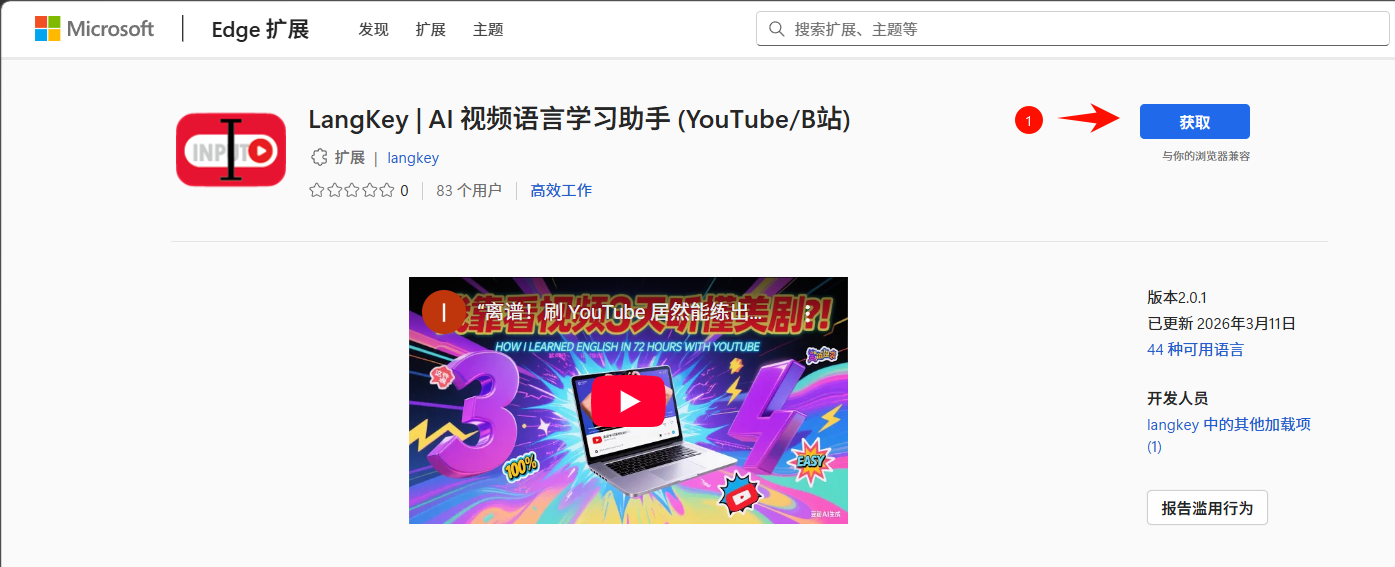
- On the extension's detail page, click the "Get" button
- Click "Add extension" in the confirmation dialog
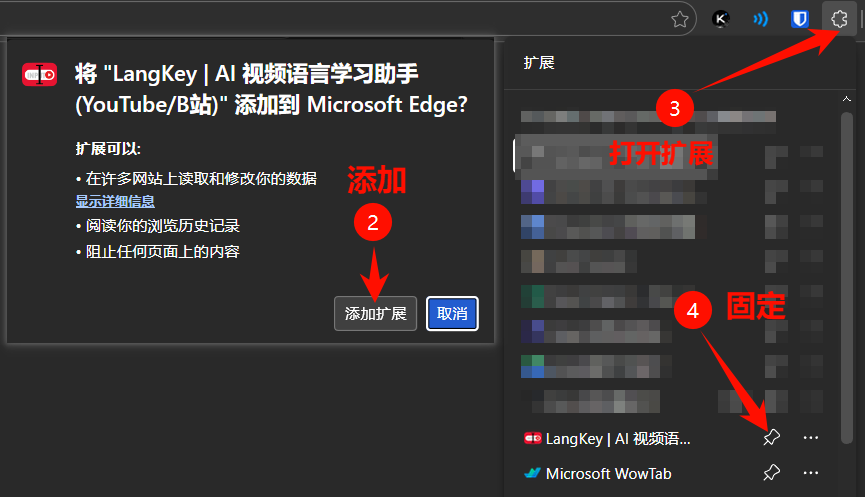
Installation on other browsers (such as Chrome) is nearly identical: just search for "langKey" in the corresponding extension store and install it.