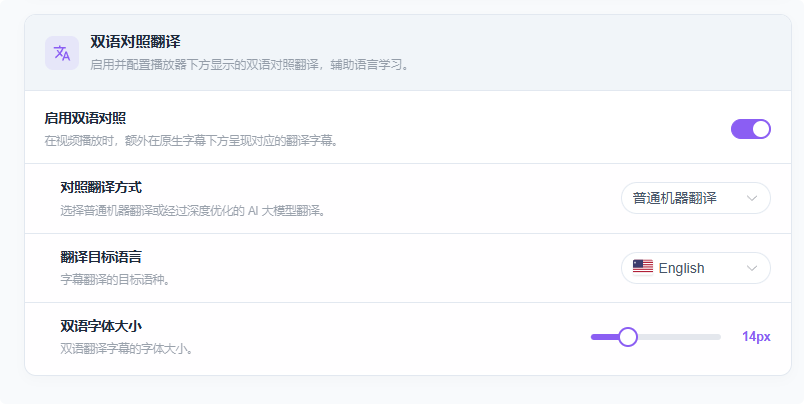
Enable Bilingual Subtitles
Turn on bilingual subtitles while watching videos to better understand the content.
Choosing the Translation Method
In the bilingual subtitles section of Basic Settings, you can enable bilingual subtitles and choose how the translation is produced:
- AI translation: Uses your configured AI model to translate in real time. Results are more natural, but this consumes AI tokens — choose according to your situation.
- Standard translation: Uses your configured machine translation engine. It consumes no AI tokens and is faster.
Bilingual Subtitles in Action
You can freely switch the target language both in Settings and on the video page. Just hover over the translated subtitle to reveal the settings button and word translations.
