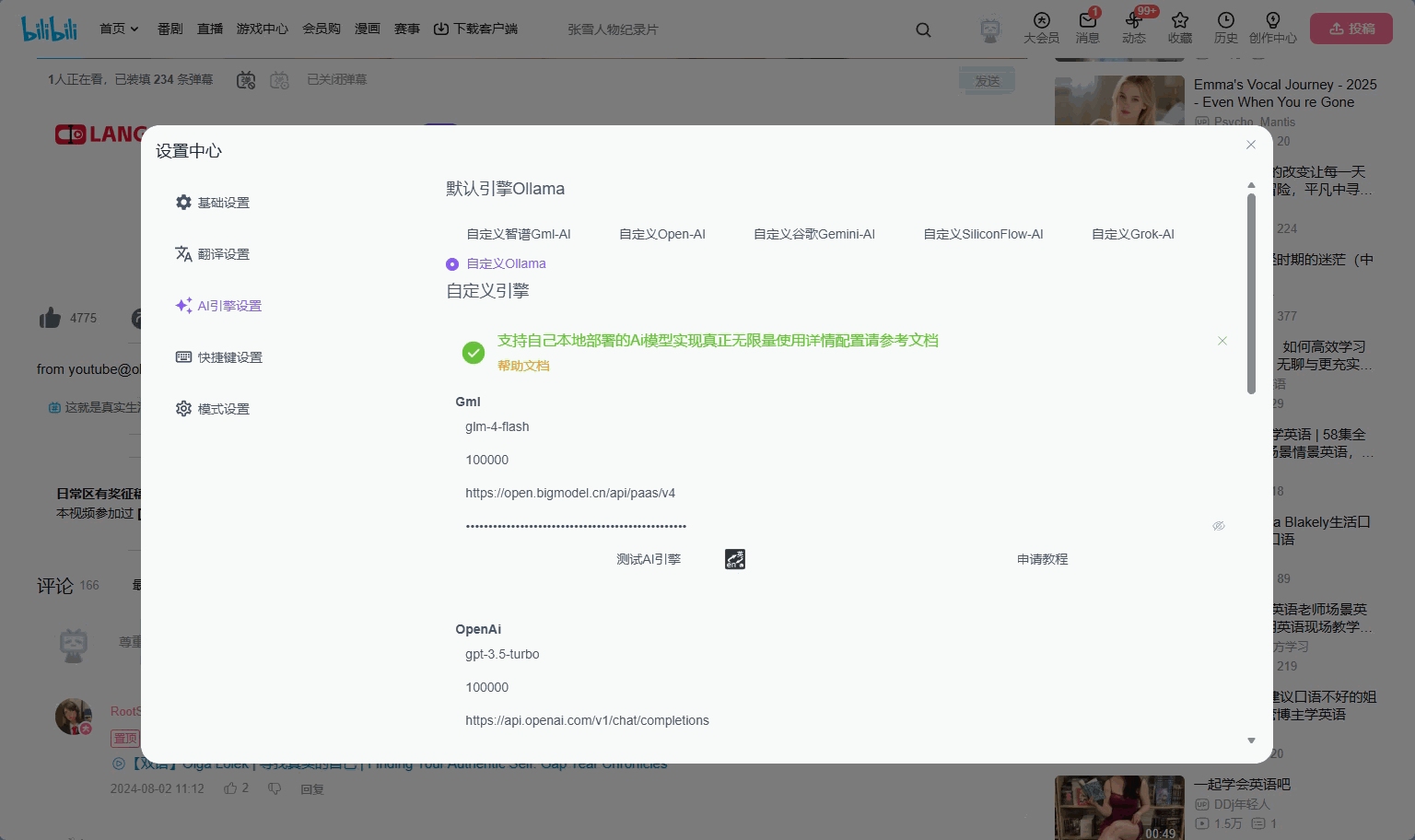
Ollama Setting
title: Self-deployed local LLM ollama description: Deploy your own ollama LLM to enable unlimited AI functionality lang: en navigation: icon: simple-icons:ollama
Deploying ollama via Docker
- Install docker desktop, you can search for tutorials if you don't know how
- Search for ollama in Docker Hub and download the running image
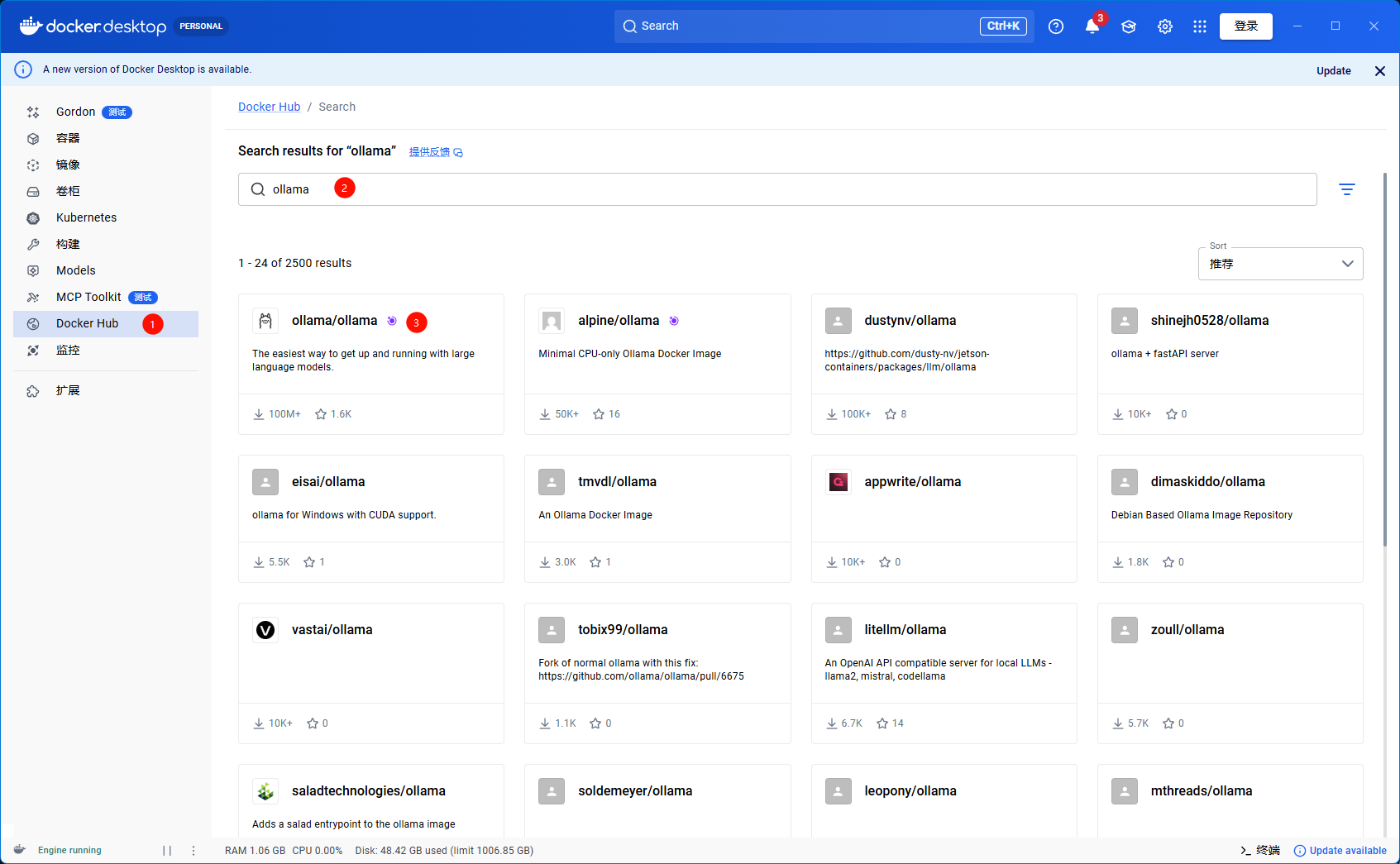
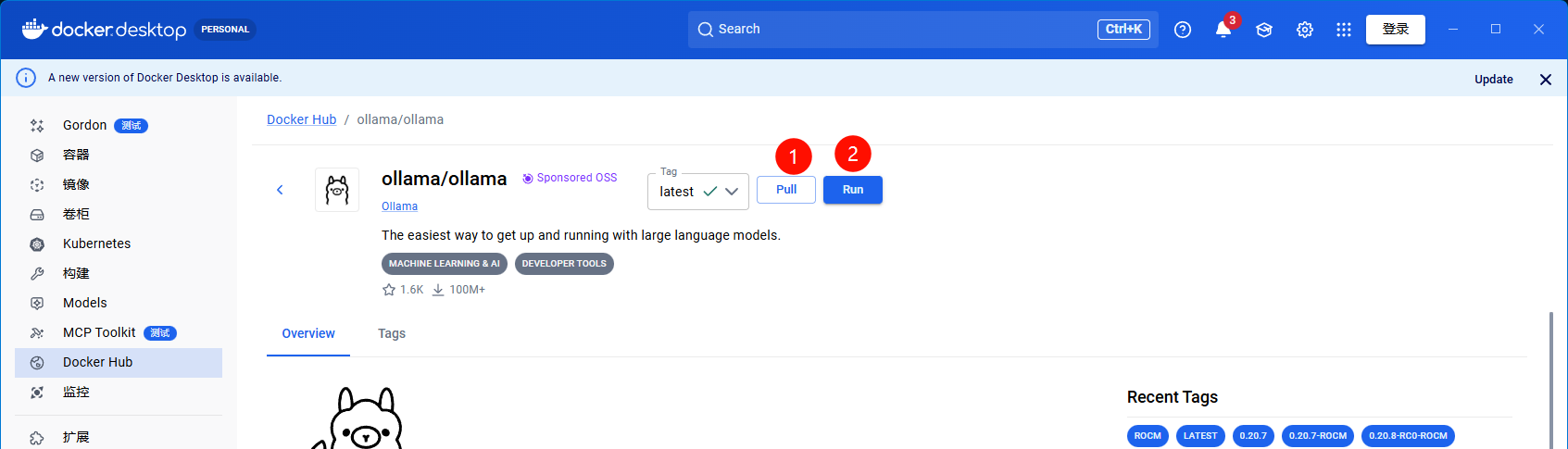
- After running, execute the following code in the terminal, you can choose your own open-source model
# qwen2.5: 1.5b is the model name, you can search for or change to other models
docker exec -it ollama ollama run qwen2.5:1.5b
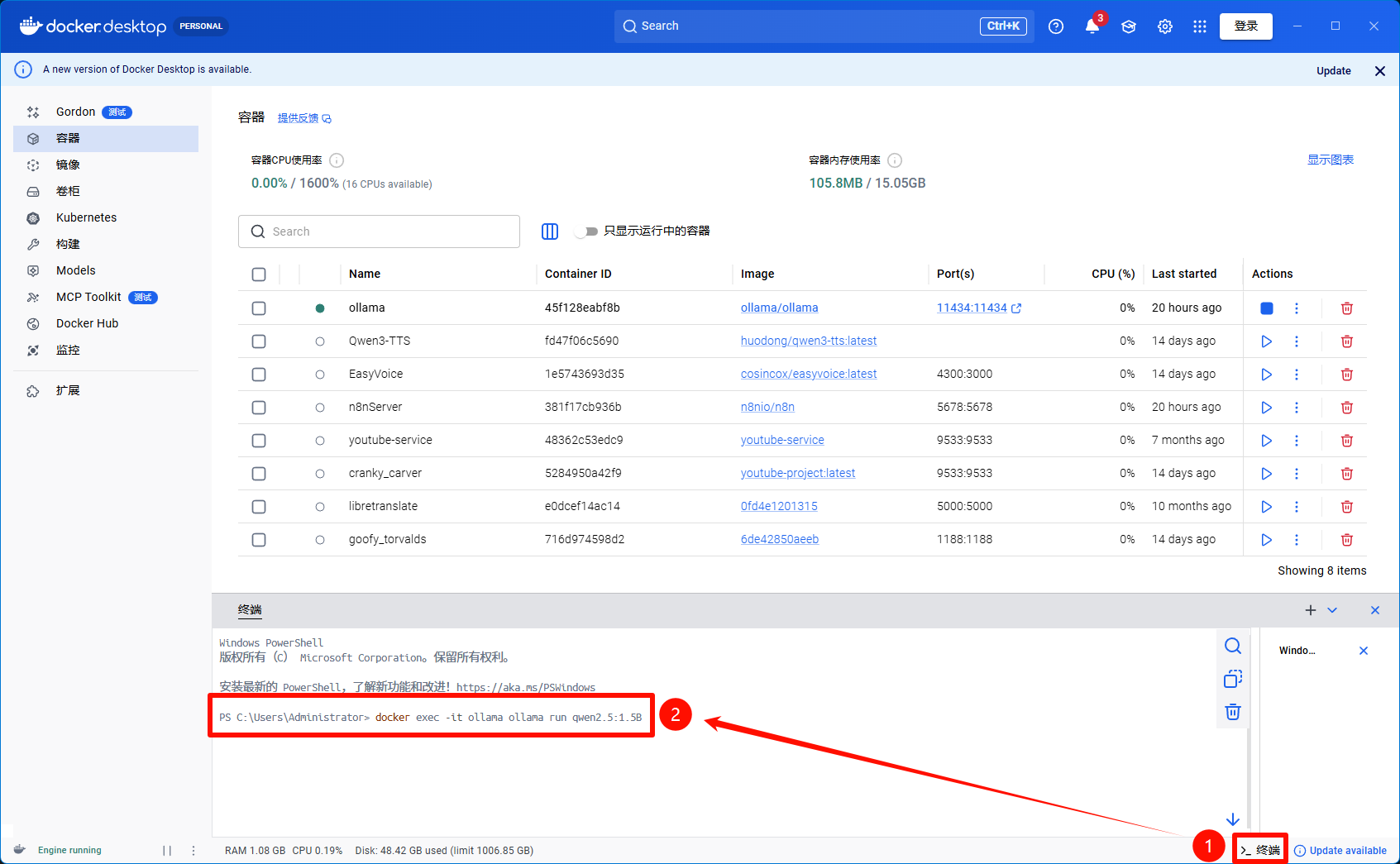 4. Wait for the model to download, you need to allow cross-domain access for the plugin, run the following command again
If it prompts that the model already exists, please delete the model and run the command again
# Please run the following command again in the terminal
docker run -d -v ollama:/root/.ollama -p 11434:11434 -e OLLAMA_ORIGINS="*" --name ollama ollama/ollama
- Test ollama in the plugin settings