AI Model Application Guide
How to apply for your own AI model API?
Declaration
- The platform is default connected to Zhipu, SiliconFlow provided free AI models, other service providers have no free models; free service qualification, availability by third-party service providers independently determined, the platform does not make any commitment guarantee.
- Third-party service providers have the right to unilaterally adjust service policies, free models may terminate free benefits at any time, related changes by users to pay attention to their own, the platform does not assume notification and compensation responsibility.
- If you need to use paid models, please fill in the model name by yourself, related costs and service risks are borne by the user, the platform does not assume any responsibility.
- User API keys are only stored locally in the browser, the platform does not upload to the server; due to improper custody of the user leading to key leakage of all losses, borne by the user, the platform is exempt.
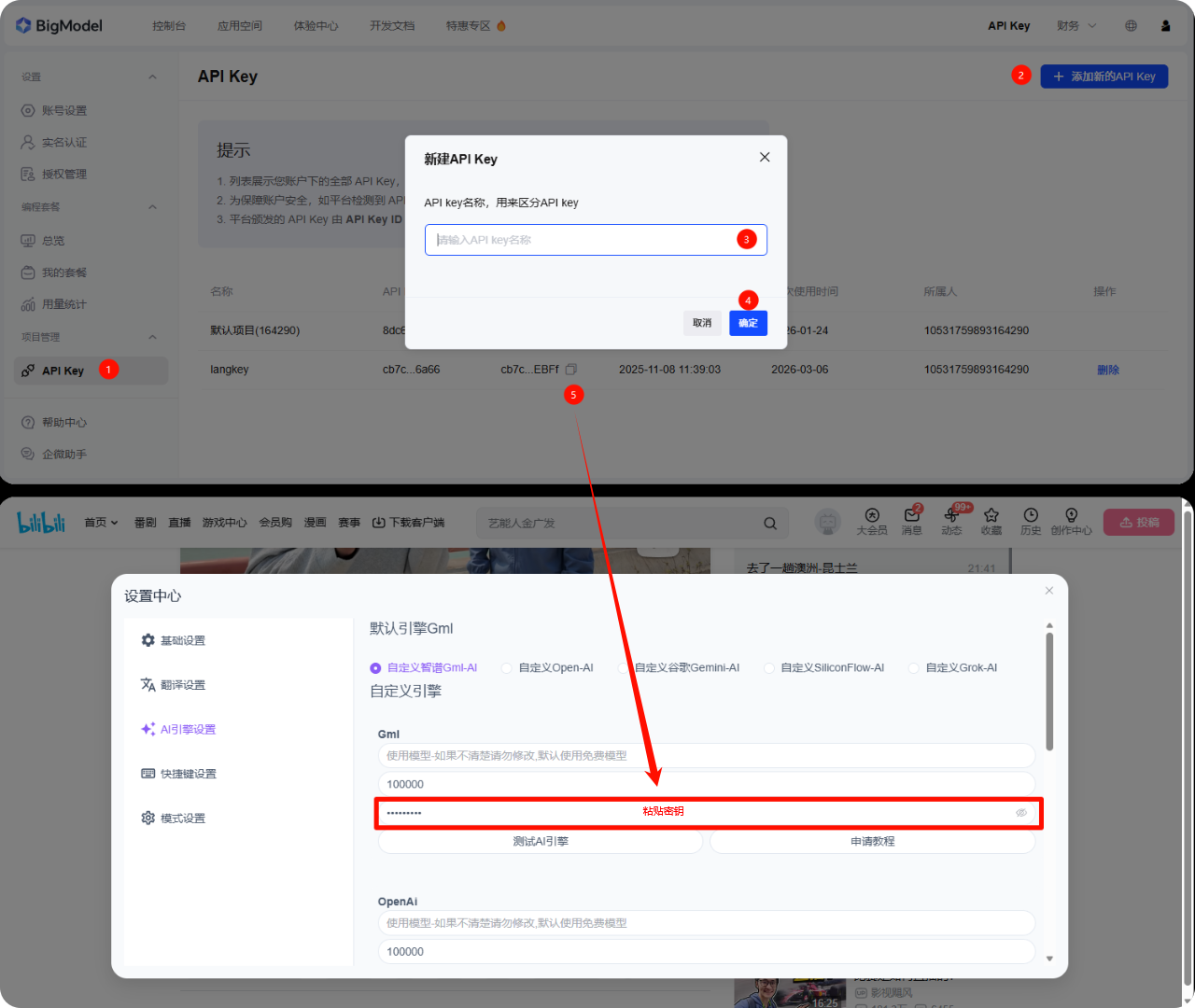
Gml Zhipu AI Model API Keys Application Guide
- After logging in, click the left menu API Key
- Click Add API key
- Enter a name casually
- Click OK
- Copy the API key and paste it into the corresponding configuration window of the plugin's AI model
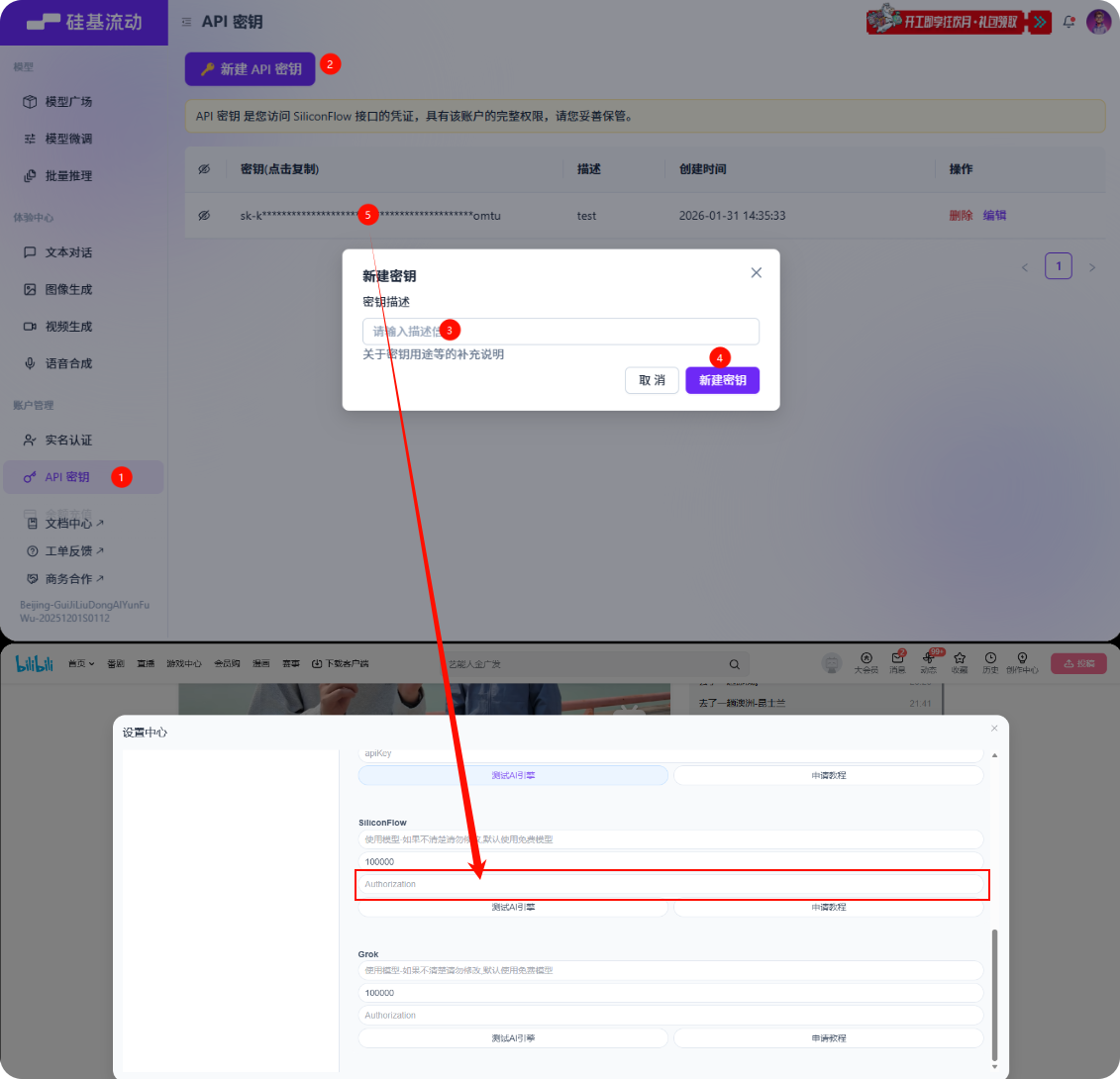
SiliconFlow Application Guide
- After logging in, click the left menu API Key
- Create a new API key
- Enter a name casually
- Click OK
- Copy the key and paste it into the corresponding configuration window of the plugin's AI model